
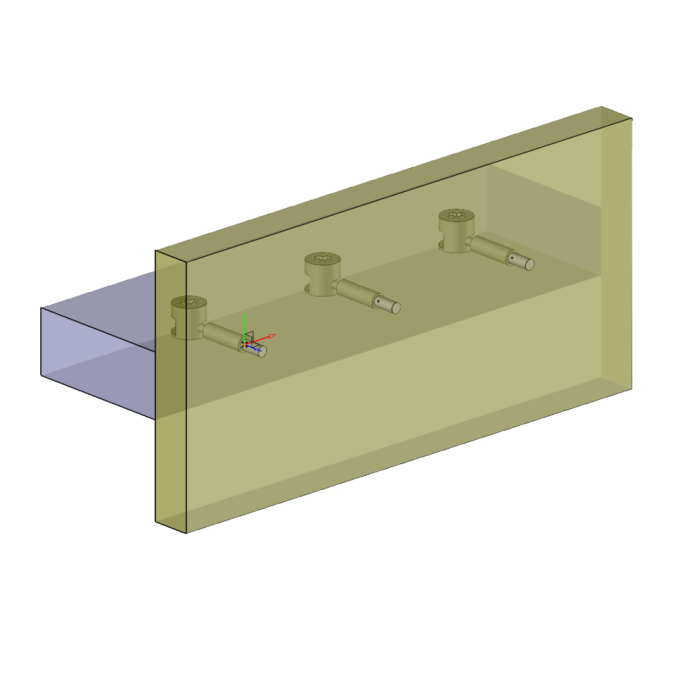
Wood Assembly Kit - Distance
Wood Assembly Kit - Distance Mode
Preconfigured Assembly Kit
This package contains a preconfigured assembly kit template, including its family and mirrored elements, to help you quickly create your own kit. Thanks to its flexible settings, it can easily be adapted to the various ways of integrating hardware components.
Using the Kit
Copy and paste the kit into your library, then customize its settings to suit your needs.
Insert your component, then duplicate it using the “Processing Parts Repetition” command, based on the pattern already included in the kit.
The pattern itself is fully customizable, including the start offset, end offset, number of hardware, and more.
An explanatory video is also included in this package to guide you through the setup and implementation process.
The 5 Positioning Modes
The “Kit Position” enumeration parameter allows you to configure the kit in 5 different positioning modes, by automatically optimizing the component’s destination frame.
- Center Mode
- Positions the component at the center of the panel thickness (e.g. dowel, Domino, Clamex, etc.).
- Tangent Mode
- Positions the component inside the panel, tangent to one of its surfaces (e.g. Cabineo, etc.).
- Custom Mode
- Works on the same principle as Center mode, but allows the component to be positioned at a customizable distance from the panel’s outer surface (e.g. eccentric cam, etc.).
- Support Mode
- Positions the component at the intersection of the panels’ outer surfaces (e.g. angle bracket, shelf support, etc.).
- Outside Mode
- Positions the component outside the panels (e.g. screw, etc.).
| Products | TopSolid'Wood |
|---|---|
| Major Version | 7 |
| Minimum Version | 7.20 |
| Genuine | External |
| Latest version | Yes |